Your AI video studio for faceless YouTube
Drop in a script or voiceover. LevelCut builds the scenes, animation, captions and sound on your own computer, using your own Claude plan. You fix anything with a click.
How it works
A human at the script, the machine for the rest. Your ideas and your edits – no "autopilot slop".
Script
Write it yourself or let Claude draft it with fact-checking. Edit it like a document.
Voiceover first
Use your ElevenLabs voice, a free voice or your own recording. The video is built to fit your voice, word by word.
Build
Scenes are made in code, not by a video generator – predictable, repeatable, no paying again and again for a lucky take.
Fix with a click
Click an element, say what to change, see before / after and undo anything.
It learns your taste
Turn fixes into rules for one video, a style or your whole channel – fewer fixes next time.
Export
MP4 in 9:16 and 16:9, captions file, titles and description ready for YouTube.
Styles
Each style is its own engine with rules, scenes and checks. New styles arrive as updates – no reinstall.
Why LevelCut
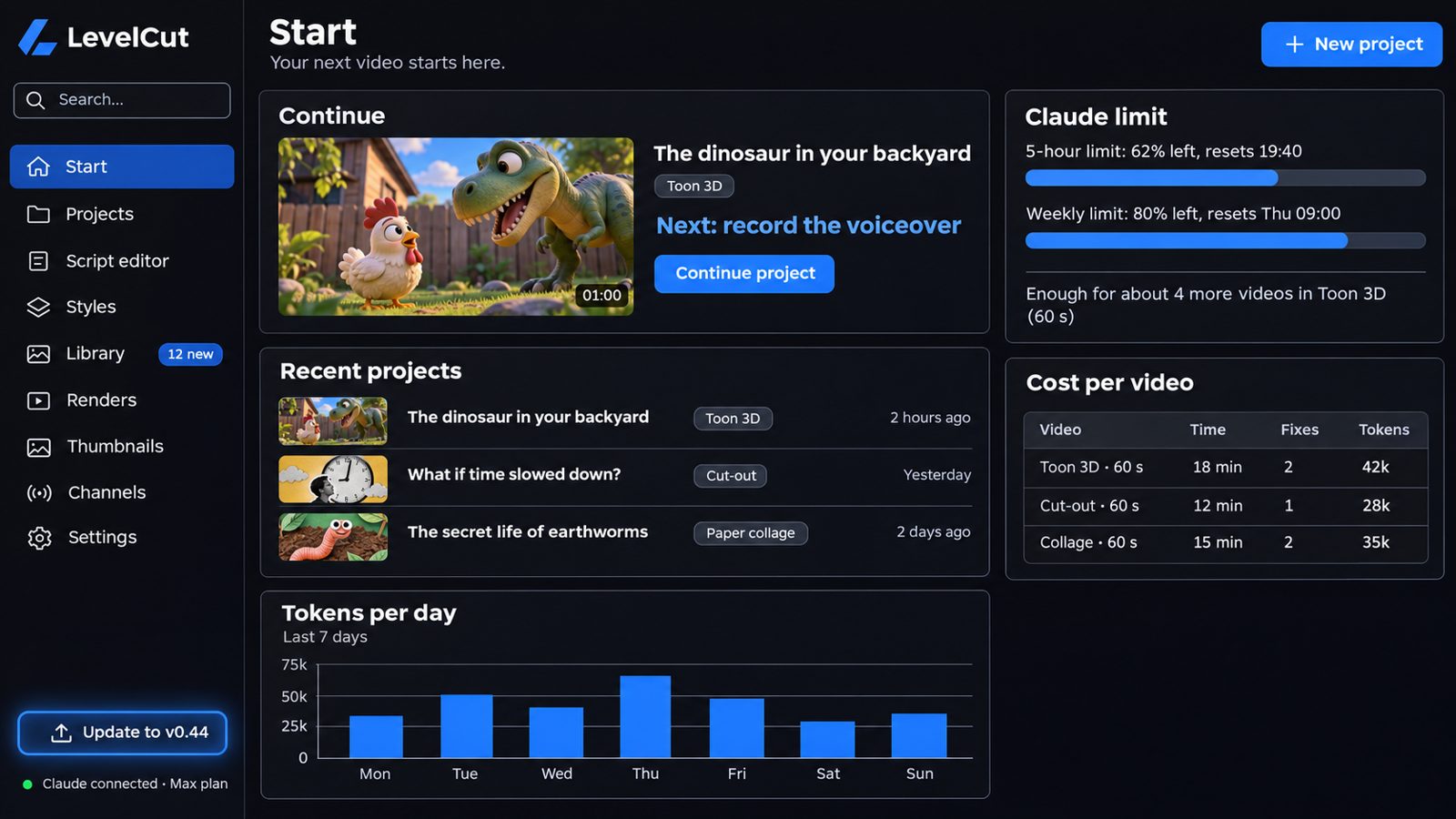
- Uses your own Claude plan. No extra AI fees from us – and you see how much of your limit each video uses and how many videos you have left.
- Fewer fixes. Automatic checks catch cut-off characters, flickering walls and too many sound effects before you see the video.
- Your files stay with you. Projects live on your computer.
- Clear licenses. Built-in assets you can use on monetized channels, credits added for you.
- Made by a faceless creator. I build it for my own channels first – then it goes to you.
Who it's for
- Faceless creators who want more videos without hours of editing.
- Storytellers, not button-pushers. You bring the idea and the script – LevelCut does the heavy lifting.
- Early adopters. Join the beta, shape the app with your feedback and get fixes fast.
- Windows users with a Claude Pro or Max plan. Mac is on the way.
What it really costs
No hidden AI fees. Three simple parts – and the app shows you the cost of every single video.
LevelCut
$19 / month for founding members, locked forever. All styles and updates included.
Your Claude plan
Pro or Max, which you may already have. LevelCut shows how much of your limit each video uses and how many videos you have left.
Voice (optional)
Your ElevenLabs plan for the best voices – or free built-in voices and your own recordings at no cost.
Start in 3 steps
From sign-up to your first video in one evening.
Join
Get your spot and access to the community with step-by-step lessons.
Install
One installer sets up everything LevelCut needs on your Windows PC.
Connect Claude
Sign in with your own Claude account – and make your first video.
Locked forever for the first 100 members. Later the price goes up – yours never does.
- All styles and updates during the beta
- Direct line to me for feedback and bugs
- Free community with lessons on Skool
FAQ
What do I need?
A Windows PC (an NVIDIA graphics card makes 3D faster), about 10 GB of free space and a Claude Pro or Max plan with Claude Code. ElevenLabs is optional – free voices work too.
Does LevelCut charge for AI?
No. LevelCut uses your own Claude plan. The app shows how much of your 5-hour and weekly limit each video uses.
What already works today?
Start screen with usage and cost per video, script editor, voice picker, export, click-to-fix with before / after and undo, rules from your fixes and the first styles. More styles are being added every week.
Can I monetize the videos?
Yes – the videos are yours. Built-in assets are licensed for monetized use; if you add your own models or sounds, check their licenses. Views and income depend on your channel, topics and consistency, so no tool can guarantee them – LevelCut makes the production part faster.
Is it fully automatic?
It does most of the work, but you stay in charge of the story: you approve the script and fix what you don't like with a click. Videos with a human touch watch better and are safer under YouTube's rules on mass-produced content.
When does the beta open?
Spots open in small groups. Join the waitlist and you'll get an email when it's your turn.